SOFIA Presentation Template: Your Slides, Reimagined
Let's be honest. We've all sat through presentations that feel like a chore—slides crammed with bullet points, generic layouts, and stock images that don't quite fit. The presenter's message gets lost in a sea of visual clutter. What if your next presentation could be different? What if each slide felt like a page from a curated magazine or a sleek digital lookbook, designed not just to display information, but to tell a story and hold attention? This is the core idea behind SOFIA, a PowerPoint template built for those who believe their message deserves a more compelling visual framework.
Beyond the Standard Slide Deck
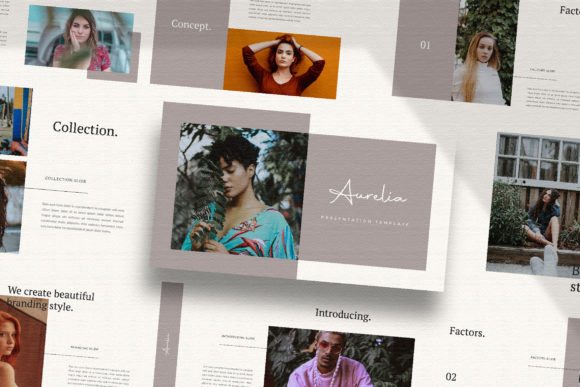
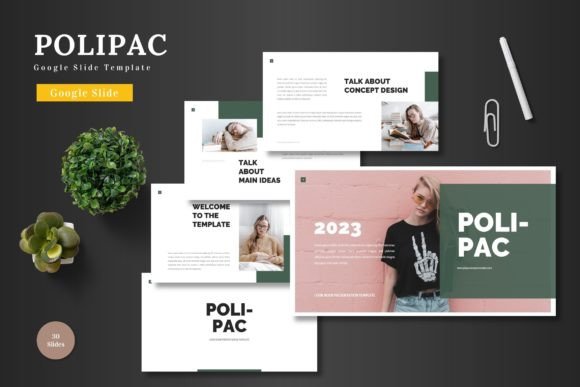
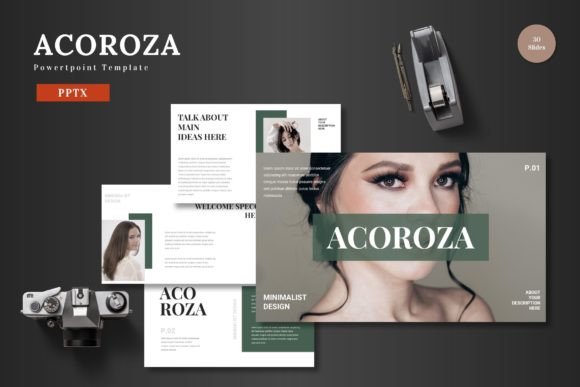
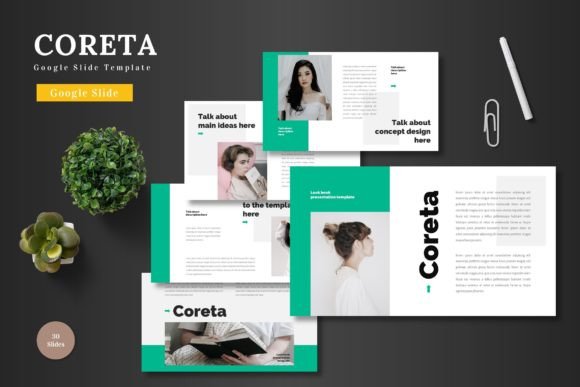
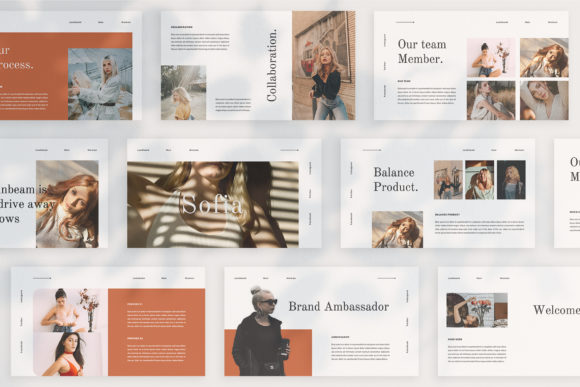
SOFIA isn't just another collection of pre-made layouts you cycle through. Its fundamental principle is that each slide is a unique canvas. This approach moves away from the repetitive, formulaic feel of many templates. Instead of choosing between "Title Slide A" and "Content Slide B," you're working with a diverse set of compositions—some with bold typographic overlays, others with clean grid systems for imagery, and many that blend text and visuals in dynamic, magazine-style arrangements. This uniqueness is its greatest strength for visual storytelling.
The practical applications extend far beyond a standard quarterly business review. Consider how this premium presentation asset could transform:
- Brand Pitches and Proposals: Present your brand identity, mood boards, and campaign concepts in a layout that mirrors the aesthetic quality of your work. A lookbook-style layout can showcase your portfolio or product line with the elegance of a high-end catalog.
- Marketing and Social Media Strategy: Break down a complex social media plan or content calendar into visually digestible slides. The high-resolution 1920x1080 pixel design ensures your mockups of Instagram grids or Facebook ads look crisp and professional.
- Product Launches and Investor Pitches: Tell the story of your product or business. Use the magazine-style layouts to feature hero product shots, customer testimonials as pull quotes, and key data points in clean, modern infographics.
- Editorial and Content Creation: For bloggers, authors, or course creators, SOFIA can structure an e-book, a media kit, or a workshop syllabus. The variety of text layouts helps organize chapters, highlight key takeaways, and maintain reader engagement.
- Client Workshops and Training: Deliver educational material that feels engaging and thoughtfully designed. The easy-to-customize nature means you can adapt it to any topic, from a design thinking workshop to a financial literacy seminar.
The Mechanics of a Polished Presentation
What makes SOFIA function so smoothly under the hood? It's built on a foundation of smart design principles that prioritize both aesthetics and usability. The template is crafted using PowerPoint's Slide Master feature. This is a game-changer for efficiency and consistency. By editing the master slides, you can change global elements like fonts, color schemes, or logo placement once, and the change will cascade across every relevant slide in your deck. This ensures your brand identity remains perfectly consistent from the first slide to the last.
One of its most user-friendly features is the automatic color change capability. You can apply your brand's unique color palette to the entire presentation with just a few clicks, transforming the template's theme to match your corporate or personal brand guidelines instantly. This eliminates the tedious process of manually recoloring dozens of individual elements.
Furthermore, the inclusion of picture placeholders and a drag-and-drop workflow means you're not wrestling with formatting. Simply click the placeholder, select your image, and it snaps perfectly into the designed frame. This allows you to focus on your content and your message, not on aligning images and text boxes. The use of free fonts (with links provided) also removes a potential barrier, giving you access to beautiful typography without additional licensing costs for your project.
Tailoring the Template to Your Vision
A tool is only as good as how you use it. Here’s some practical advice for getting the most out of a versatile template like SOFIA.
Start with Your Content, Not the Slides. Before you even open the file, outline your key messages. What is the one thing you want your audience to remember? Structure your narrative first, then select the unique slide layouts that best support each part of your story. A powerful statistic might go on a slide with a large, bold number. A client testimonial would shine on a slide designed with ample space for a quote and a photo.
Embrace Consistency, Not Uniformity. While each slide is unique, your presentation needs a cohesive thread. This is where the unique theme colour and master slide editing come in. Use the same primary and secondary brand colors throughout. Stick to one or two font pairings from the provided options—perhaps a bold sans-serif for headlines and a clean serif for body text. This creates a professional presentation that feels unified, even as the layouts vary.
Source Imagery with Intention. The template notes that preview images are not included, directing you to resources like Unsplash or Pexels. This is an opportunity. Don't just grab the first nice photo you see. Choose imagery that aligns with your brand's aesthetic—consider color tone, composition, and subject matter. Consistent, high-quality photography will elevate the entire deck from good to exceptional.
Test for Readability and Flow. Always run through your completed presentation in slideshow mode. Check that text is legible against background images or colors. Ensure animations (if you add them) are subtle and purposeful, not distracting. The goal is a smooth, engaging flow for your audience, whether you're presenting live or sharing the file digitally.
A Foundation for Professional Impact
Ultimately, a resource like the SOFIA template is about removing friction from the creative process. It provides a sophisticated, ready-made structure so you can invest your energy in what truly matters: your ideas, your story, and your connection with the audience. By offering a blend of modern typography, editorial design principles, and practical functionality, it helps bridge the gap between a great idea and a great presentation. It’s a design asset that respects both your time and your audience's attention, ensuring your next presentation doesn't just share information, but makes a lasting impression.