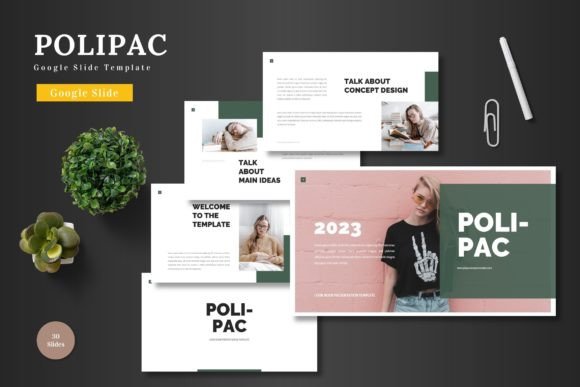
Polipac - Google Slide Template: Your All-in-One Presentation Solution
You know that feeling when you need to create a polished presentation, but the thought of starting from a blank slide makes you want to close your laptop? We've all been there. Whether you're pitching a new business idea, showcasing a product launch, or preparing a monthly report, the foundation of a great presentation often starts with a great template. That's where a resource like the Polipac - Google Slide Template comes in, offering a ready-to-use framework designed to save you time and elevate your visual communication.
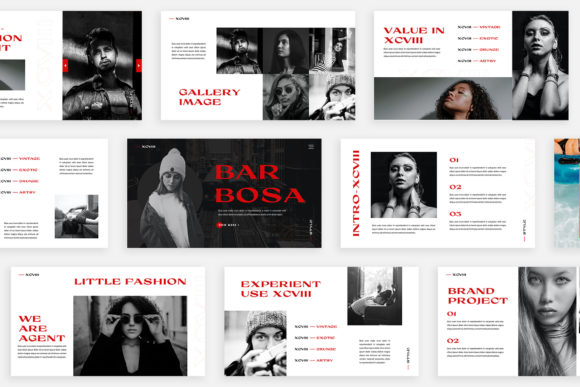
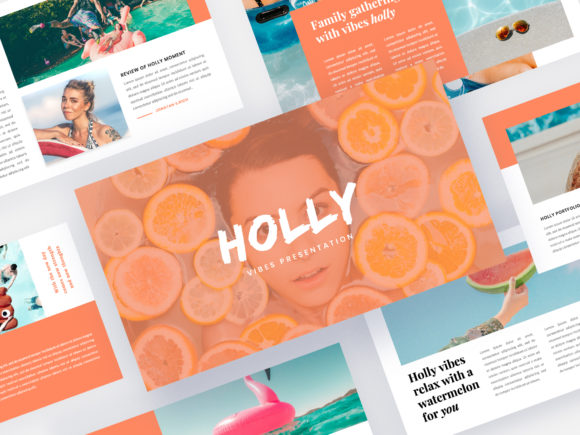
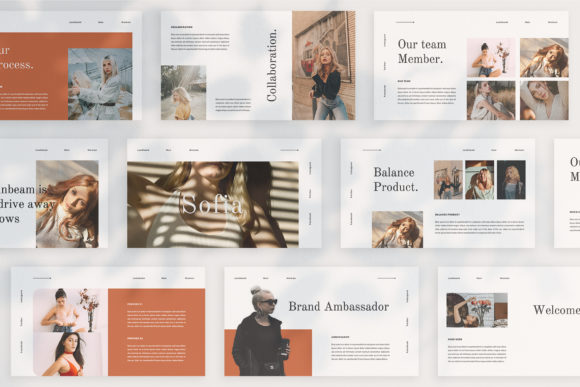
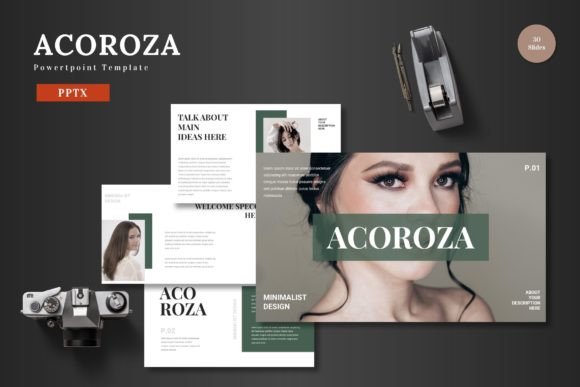
This isn't just another set of generic slides. The Polipac template is built with a clean, scalable, and colorful aesthetic that feels both modern and professional. It’s designed for multipurpose use, making it a versatile asset for entrepreneurs, marketers, educators, and creative professionals. The core idea is simple: provide a high-quality, editable foundation so you can focus on your content and message, not on wrestling with design software.
A Practical Toolkit for Modern Visual Storytelling
Think of this template as a comprehensive design system for your presentations. With over 150 total slides spread across five premade color schemes, you have a vast library of layouts at your fingertips. Each of the five color variations includes 30 unique slides, giving you dedicated options for different sections of your talk. This means you can maintain visual consistency throughout a lengthy presentation or easily switch palettes to match different client brands or project themes.
The real value for a busy professional lies in the practicality of the features. Every single element is editable directly within Google Slides. There's no need for additional software like Adobe Illustrator or Photoshop. You can change colors to match your brand guidelines, swap out text with your own content, and use the drag-and-drop picture placeholders to insert your images seamlessly. This level of accessibility is crucial for small business owners and content creators who need to work efficiently across devices and collaborate with team members in real time.
Beyond the Pitch Deck: Where This Template Shines
While it’s perfect for a business pitch or investor update, the applications for a template like Polipac extend far beyond the boardroom. Its clean, professional aesthetic makes it a strong candidate for creating a cohesive brand identity. Imagine using the same design language for your internal team meetings, your public-facing webinar slides, and the visual aids in your online course. This consistency reinforces your brand recognition and presents a unified, professional image to every audience.
For those in e-commerce or product promotion, the template's structure is ideal. You can dedicate slides to showcase product features, display customer testimonials, highlight pricing tiers, and present your portfolio or gallery in a visually engaging way. The handcrafted infographics are particularly useful for breaking down complex data, making sales figures, market research, or process workflows easy to understand and remember. Marketers and bloggers can repurpose these infographic slides into standalone social media graphics, creating valuable content that drives engagement on platforms like Instagram or LinkedIn.
Design Intelligence Built In
What sets a premium template apart is the attention to design details that save you from common pitfalls. The Polipac template is based on master slides, which ensures that changes to fonts, colors, or logo placement are applied consistently across all slides with a single edit. This is a huge time-saver and prevents the all-too-common scenario of one slide looking slightly off from the rest.
The pixel-perfect illustrations and resizable graphics mean your presentation will look sharp on any screen, from a laptop to a large projector. This technical quality is essential for maintaining a professional presentation standard. Furthermore, the inclusion of section break slides helps you structure your narrative, giving your audience natural pauses and helping you organize your thoughts logically. It’s these thoughtful touches that transform a collection of slides into a compelling story.
Making It Your Own: Practical Tips for Customization
To get the most out of any design asset, a bit of strategic customization is key. Start by selecting the color scheme that best aligns with your project's mood or your existing brand palette. The five included variations offer a great starting point, but don't hesitate to tweak the colors further using the built-in tools in Google Slides.
When it comes to typography, while the template comes with recommended fonts, you can often pair it with other typefaces to better match your brand voice. For instance, you might keep the clean sans-serif font for body text from the template but introduce a more distinctive display font for your headings. Always prioritize readability—ensure there's enough contrast between text and background and that your font size is large enough to be read from the back of a room.
Finally, leverage the picture placeholders effectively. Drag and drop high-quality, relevant images that tell your story. Avoid generic stock photos where possible; authentic images of your team, your product in use, or your workspace can create a stronger connection with your audience. The goal is to use the template's structure as a scaffold for your unique content, not as a rigid cage.
A Smart Investment in Your Communication
In a world where visual communication is paramount, having reliable, high-quality design assets at your disposal is a practical advantage. The Polipac - Google Slide Template offers a blend of aesthetic appeal, functional features, and ease of use that can streamline your workflow. It’s a tool designed to help you present your ideas with clarity and confidence, whether you're in a boardroom, a classroom, or connecting with an audience online. By starting with a strong foundation, you free up your creative energy to focus on what truly matters: your message and your connection with your audience.