AURELIA - Keynote Template: Your Slides, Your Brand's Story
You've got the data, the strategy, the big idea. But when it's time to present it, does your slide deck feel like a generic afterthought? Too many presentations rely on the same tired, recycled layouts, blending into a sea of bullet points and stock imagery. The AURELIA - Keynote Template flips that script. It’s not just a collection of slides; it’s a curated design system built for clarity and impact, where each slide is a unique composition designed to make your message—not just your data—unforgettable.
Beyond Bullet Points: The Power of Intentional Slide Design
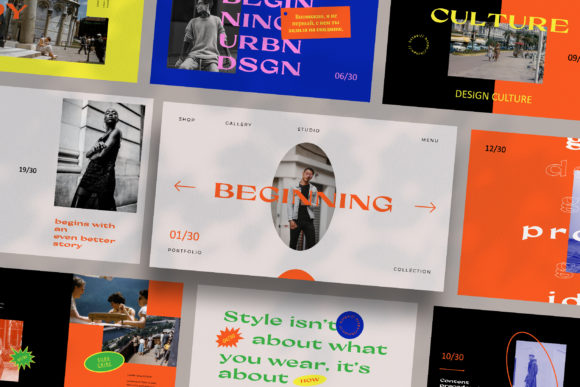
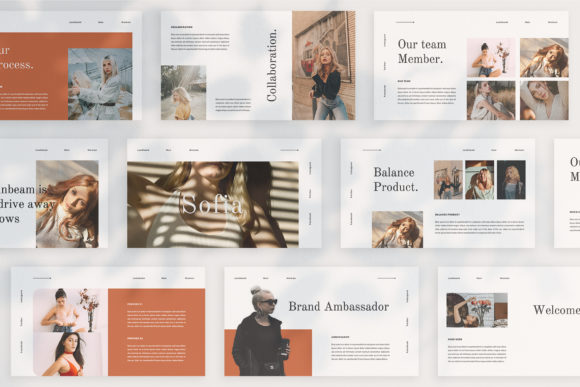
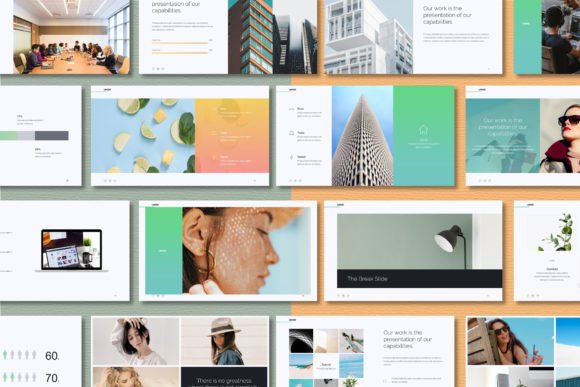
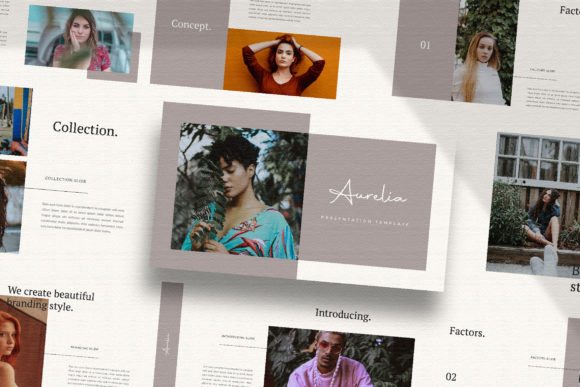
Think of your presentation as a visual conversation. A monotonous layout is like speaking in a monotone—it loses the audience. AURELIA’s strength lies in its “one slide, one concept” philosophy. With over 35 unique slides in a 1920x1080 Full HD canvas, you’re equipped to tell a nuanced story. A slide for a key statistic might use a bold, magazine-style layout with a dramatic image placeholder. A process explanation could unfold through a clean, infographic-inspired sequence. This variety isn’t just decorative; it serves a functional purpose. It guides the viewer’s eye, emphasizes critical information, and maintains engagement from the first click to the final thank you.
This approach is particularly valuable for professionals who need to communicate complex ideas simply. A marketing agency pitching a new campaign can use the lookbook-style slides to showcase brand mood and visual direction. A startup founder can leverage the clean, modern layouts to explain their business model to investors without overwhelming them. The template acts as a silent partner in your communication, ensuring your professionalism is felt before a single word is spoken.
A Foundation for Cohesive Branding
Visual consistency is the bedrock of brand recognition. Whether you’re presenting to a client, a partner, or your own team, your materials should look and feel like they belong to you. AURELIA facilitates this with its unique theme color feature. With a single click, you can shift the entire color palette to match your brand’s exact hex codes. Suddenly, the template transforms from a beautiful, neutral tool into a bespoke asset that speaks your brand’s language.
Consider the practical applications. A freelance graphic designer can use AURELIA as the backbone for all client presentations, adapting the color scheme for each project to deliver a consistently high-end experience. A small e-commerce brand can create a quarterly business review for stakeholders using slides that mirror the aesthetic of their website and social media graphics. This seamless integration strengthens your brand identity at every touchpoint, turning a simple presentation into a powerful branding exercise.
From Concept to Click: A Practical Workflow
The true test of any design asset is its ease of use. Built on Keynote’s Slidemaster, AURELIA is engineered for efficiency. The drag-and-drop image placeholders mean you can populate slides with your own photography or curated visuals from sites like Unsplash or Pexels in minutes, not hours. This is a game-changer for busy entrepreneurs and content creators who need to produce polished materials quickly.
Let’s walk through a real-world scenario. Imagine you’re a craft brewery owner preparing a pitch for a local restaurant chain. You’d start by setting the theme color to your brand’s signature amber hue. Then, you’d select the slide layouts that best tell your story: a full-bleed image slide for your flagship IPA, a multi-column layout for your core lineup, a timeline slide for your brewing process, and a clean contact slide. You drag in your product shots, type in your descriptions, and you have a presentation that looks like it was custom-designed by an agency. The included free fonts ensure your typography remains sharp and readable, both on a projector screen and a laptop.
Strategic Applications for Modern Professionals
While designed for presentations, the utility of a well-structured template like AURELIA extends far beyond the boardroom. Its clean, modular layouts are a goldmine for other design projects, saving you valuable time and ensuring visual harmony across your materials.
- Marketing & Social Media: Extract a slide layout to create a stunning Instagram carousel or a LinkedIn infographic. The high-resolution assets ensure your graphics look crisp on any platform.
- Digital Products & Editorial Design: Use the magazine-style layouts as a starting point for designing a lookbook, a mini-catalog, or the layout for a digital booklet or lead magnet.
- Pitch Decks & Proposals: The professional structure is ideal for creating client proposals, project quotes, or partnership pitches that need to convey credibility and attention to detail.
- Internal Communications: Create engaging training materials, all-hands meeting decks, or project update reports that employees will actually enjoy reviewing.
By viewing AURELIA not just as a presentation template but as a collection of versatile design frameworks, you multiply its value. It becomes a foundational design asset in your toolkit, helping you maintain a professional and cohesive visual identity across everything from a keynote speech to a social media campaign.
Making the Final Impression Count
In the end, the goal of any visual communication is connection. A cluttered, generic slide deck creates distance. A thoughtful, beautifully designed one builds trust and makes your audience more receptive to your message. The AURELIA - Keynote Template provides the structure and aesthetic rigor to achieve that. It handles the heavy lifting of design and layout, freeing you to focus on what truly matters: your story, your data, and your relationship with the people in the room. It’s an investment in your professional presence, ensuring that every time you present, you do so with confidence and clarity.