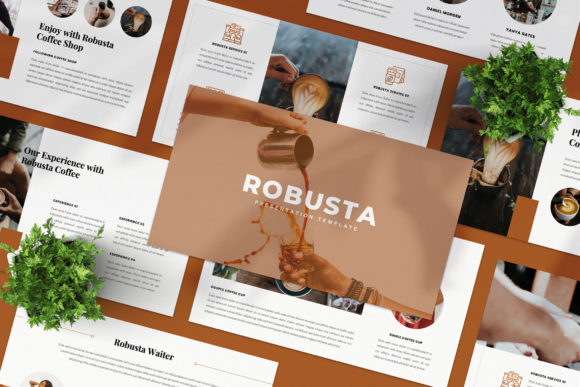
ROBUSTA: Crafting Stunning Visual Narratives with This Google Slide Template
Imagine opening a presentation file and feeling an immediate sense of relief. There’s no clutter, no generic corporate clip art, and no confusing layouts. Instead, you are greeted by a slide that looks like it belongs on the pages of a high-end design magazine. This is the experience of using the ROBUSTA Google Slide Template. For anyone who has ever struggled to make a standard PowerPoint look professional—whether you are a freelancer pitching a new client, a marketer launching a product, or a small business owner updating a pitch deck—finding a template that balances aesthetic beauty with functional structure is a game-changer. ROBUSTA offers exactly that: a collection of 36 unique layouts designed to tell your story with clarity and style.
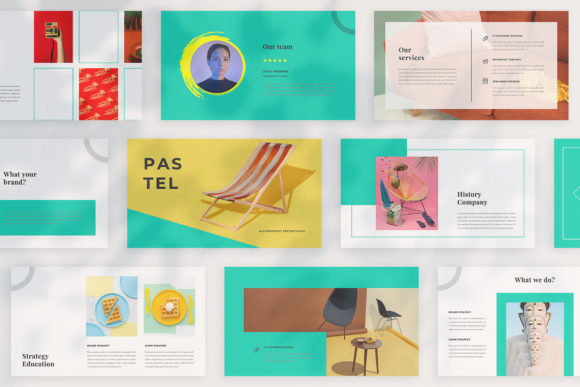
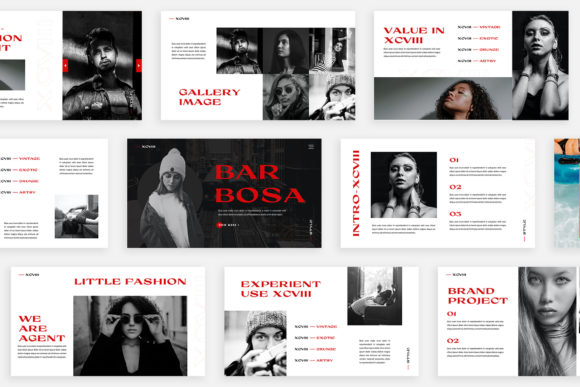
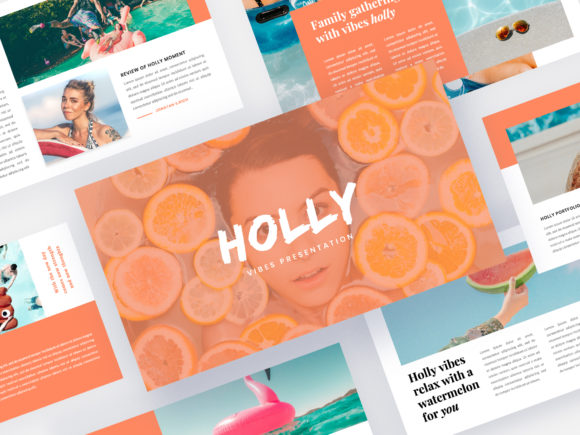
The core appeal of this template lies in its refusal to rely on repetition. Too often, we download presentation packs only to find that while they claim to have 50 slides, they are really just five designs repeated with slight color changes. ROBUSTA takes a different approach. Each of the 36 slides is a distinct composition, ensuring that your audience remains visually engaged from the introduction to the final call to action. This variety is crucial for maintaining attention, particularly when presenting complex data or lengthy brand stories. The "Lookbook and Magazine Style Layout" aspect means you aren't just presenting information; you are curating an experience. It transforms a standard business meeting into an editorial showcase.
Why Visual Consistency Matters for Your Brand
When we talk about branding, we often focus on logos and color palettes, but the structural consistency of your visual assets is equally important. If your website is sleek and modern, but your presentations look like they were made in 1998, you create a disconnect in your brand identity. ROBUSTA helps bridge that gap. Because it utilizes a "Unique Theme Colour" feature with automatic color change capabilities, you can instantly adapt the entire deck to match your specific brand guidelines. This is a massive time-saver for designers and business owners alike. Instead of manually recoloring every shape and text box, a single adjustment cascades through the design, ensuring that your brand recognition remains strong and your visual identity stays cohesive.
This level of professional polish is not just about vanity; it directly impacts audience engagement. In the world of digital marketing and sales, perception is reality. A clean, high-resolution presentation (ROBUSTA is built at 1920x1080 pixels, Full HD) signals to your business partners and clients that you value quality. It suggests that you pay attention to details. Whether you are presenting a quarterly report or pitching a creative concept, the typography and layout do the heavy lifting of establishing credibility before you even speak.
Practical Applications: Beyond the Boardroom
While the primary function of ROBUSTA is clearly for slide presentations, its versatility extends far beyond the boardroom. Because the design is so editorial and clean, creative professionals are finding innovative ways to repurpose these layouts for various digital and print materials. If you are a content creator or a blogger, you can use the individual slide layouts to create long-form vertical graphics for Pinterest or detailed carousel posts for Instagram. The "Lookbook" style is perfect for lifestyle brands, fashion bloggers, or interior designers who need to showcase their work in a way that feels curated and intentional.
Consider the realm of digital products. If you are selling a course or a workshop, the visual experience of your slides is part of the product's value. Using a premium template like ROBUSTA elevates the perceived worth of your content. Furthermore, the inclusion of mockups, icons, and maps makes it a practical toolkit for startups. You don't need to hunt for external assets to explain your market strategy or user flow; the building blocks are already there, waiting to be customized. This is particularly helpful for entrepreneurs who may not have a dedicated design team but still need to produce marketing assets that look agency-made.
Mastering the Art of Drag-and-Drop Customization
One of the most significant barriers to good design is often the technical skill required to execute it. ROBUSTA removes this friction by utilizing the Slide Master feature. For the uninitiated, Slide Master is a powerful tool in Google Slides (and PowerPoint) that allows you to set up a template structure. Once the master is set, users can simply "Drag & Drop" their images into placeholder areas. This ensures that photos are automatically cropped and scaled to fit the design perfectly, maintaining the intended composition without manual resizing. It’s a workflow optimization that makes the design process feel less like a chore and more like assembling a puzzle.
However, customization goes deeper than just swapping photos. The template comes with a "Many Variations of Layout and Text," giving you the flexibility to tell your story exactly how you want. If you have a data-heavy slide, you can choose a layout with more text space. If you have a visual-heavy concept, you can opt for a full-bleed image background. This adaptability makes it a robust tool for any company or personal project. It encourages you to think about hierarchy—what is the most important element on this slide?—and provides the structure to highlight it effectively.
Tips for Maximizing Your Presentation's Impact
Having a great template is the first step, but how you use it determines the outcome. Here are a few practical observations for getting the most out of assets like ROBUSTA:
- Don't Fear the White Space: Many users feel the urge to fill every corner of a slide with text or images. Resist this. The "neat concept" of the ROBUSTA template relies on breathing room. White space helps direct the viewer's eye to the most critical information and reduces cognitive load.
- Typography Pairing: The template uses free fonts, which is excellent for accessibility. When customizing, pay attention to the font pairing. Usually, a template pairs a bold, attention-grabbing font for headers with a clean, readable sans-serif for body text. Stick to this logic. Avoid adding too many new font families, which can make the design look chaotic.
- Image Quality is Key: The template is High-res, so your images should be too. As noted, you can source high-quality photography from sites like Unsplash or Pexels. Ensure your images are relevant and high-contrast. A blurry or pixelated image will ruin the premium feel of the layout instantly.
- Color Psychology: Use the automatic color change feature wisely. If you are presenting to a corporate client, stick to their brand colors. If it's a personal project, choose colors that evoke the right emotion—blues for trust, greens for growth, or warm tones for creativity.
Ultimately, the goal of any visual asset is to communicate a message more effectively than words alone. By combining a strong structure with high-end aesthetics, ROBUSTA allows you to focus on what you do best—whether that's selling, teaching, or inspiring—while the design handles the heavy lifting of keeping your audience captivated. It is a testament to how good design can simplify our lives and amplify our professional voices.