Hadria: A Slide Deck That Feels Like a Premium Magazine
You know the feeling. You open a new presentation template, and slide after slide looks exactly the same—just a different stock photo slotted into the same rigid rectangle. It feels flat, uninspired, and worst of all, it makes your unique ideas look like they came from a cookie-cutter factory. We’ve all been there, scrolling through endless generic layouts that fail to capture the energy of our brand or the nuance of our message. This is the frustration the Hadria - Powerpoint Template was built to solve.
Why Your Slides Deserve a Unique Narrative
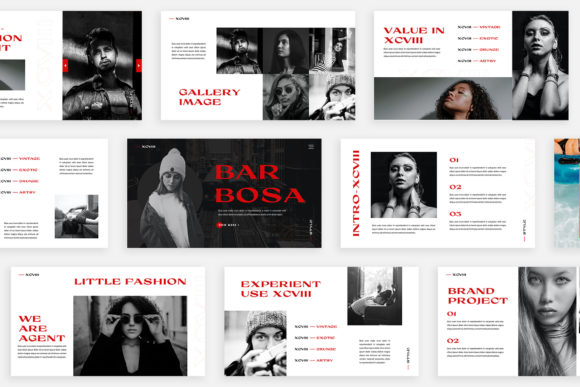
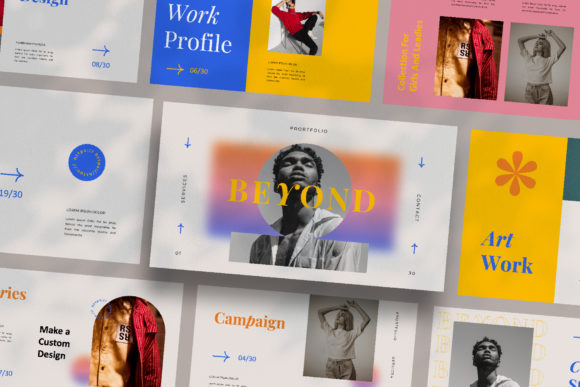
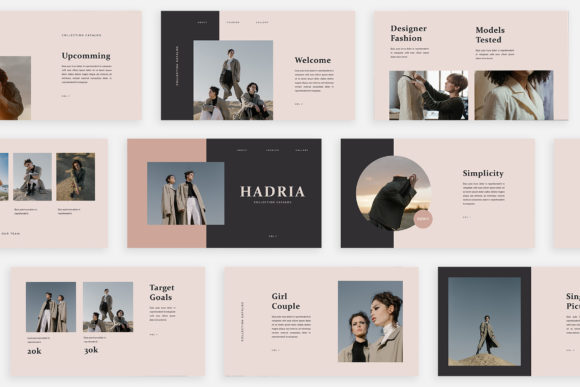
Hadria isn’t just a collection of 30 slides; it’s a visual storybook. Each slide is meticulously designed with its own unique layout, moving beyond the monotony of recurring grids. Imagine presenting a marketing strategy where the data slides feel dynamic and alive, followed by a brand story slide that uses a stunning, full-bleed magazine-style layout to showcase your product. This variety isn't just for aesthetic flair—it's a strategic tool. A dynamic deck keeps your audience’s eyes moving and their minds engaged, preventing the dreaded "death by PowerPoint" where attention spans simply flatline.
The design language here leans into that modern editorial aesthetic. You’ll find clean, airy compositions that breathe, paired with bold, confident typography choices. It’s a look that feels instantly professional and trustworthy, whether you’re pitching to investors, onboarding a new client, or sharing quarterly results with your team. The "lookbook" style layouts are particularly powerful for anyone in creative fields—photographers, designers, marketers—because they allow your work to take center stage without competing with a cluttered background.
Transforming Your Workflow with Smart Design
One of the most practical aspects of Hadria is how it respects your time. We’ve all wasted hours fighting with rigid templates, trying to force an image into a placeholder that just won’t cooperate. Hadria is built on Slidemaster, which means the drag-and-drop functionality actually works the way it should. You can swap out images, adjust text boxes, and reposition elements with minimal fuss. This isn’t just about convenience; it’s about maintaining momentum. When the technical barriers are removed, you can focus entirely on refining your message and crafting a compelling narrative.
Color is another area where this template shines. The unique theme color feature with automatic color change is a game-changer for brand consistency. Instead of manually selecting and changing the color of every shape, icon, and line across 30 slides, you can update the master theme and watch the entire deck transform to match your brand’s palette in seconds. This ensures that every presentation you send out is perfectly on-brand, reinforcing visual recognition and professionalism with every click.
Practical Applications for the Modern Professional
Think of Hadria as a versatile canvas for your visual communication. Its high-resolution, Full HD 1920x1080 pixel quality makes it suitable for far more than just boardroom presentations. For a small business owner, it’s a ready-made tool for creating polished investor decks or compelling sales pitches that stand out. For a marketing team, it’s the foundation for campaign briefs that need to convey complex information clearly and beautifully.
The magazine and lookbook layouts open up even more creative avenues. A content creator could use these slides to design stunning media kits that showcase their audience demographics and past collaborations. A graphic designer might use the template to mock up brand identity presentations for clients, giving them a tangible feel for how their new logo and color scheme will live in the real world. Even for personal projects, like planning a wedding or a community event, the elegant layouts provide a professional framework that elevates the entire experience.
Beyond the Slides: Building a Cohesive Brand Identity
Consistency is the bedrock of strong branding. Every touchpoint a client or customer has with your business should feel cohesive, from your website to your social media graphics to your internal documents. Using a template like Hadria as the starting point for all your presentations helps weave that consistency into the fabric of your communication. The clean, modern typography and thoughtful layouts act as a design system, ensuring that even when you’re creating something quickly, the result is always polished and aligned with your brand’s visual identity.
This focus on modern typography and layout is crucial for readability and audience engagement. A presentation isn’t just about what you say; it’s about how easily your audience can absorb it. Hadria’s design choices—balanced white space, clear hierarchies, and ample room for imagery—are all made with the end viewer in mind. This thoughtful approach to design ensures your key points are communicated effectively, whether the presentation is being viewed on a large screen during a live talk or on a laptop during a quiet review.
Getting Started and Making It Your Own
While the template comes with its own recommended free fonts, the design is fully editable. This gives you the flexibility to experiment with different typeface pairings to better match your brand’s voice. You might pair the existing serif font with a complementary sans-serif for body text, or introduce a subtle script font for a touch of elegance in specific headings. The key is to test these pairings within the context of your content to ensure they enhance, rather than distract from, your message.
Remember, the included photographs in the preview are for illustration. The real magic happens when you drag and drop your own images into those placeholders. This is where the template transforms from a generic design into a powerful tool that is uniquely yours. Whether you’re using high-resolution product shots, team photos, or custom graphics, Hadria provides the sophisticated framework to present them in their best light.
In the end, a great presentation template should do more than just organize information; it should elevate it. It should make you feel confident and prepared, and it should make your audience feel engaged and respected. Hadria - Powerpoint Template achieves this by rejecting the one-size-fits-all approach in favor of a curated, magazine-inspired experience. It’s a practical, high-quality design asset for anyone who understands that how you present your ideas is just as important as the ideas themselves.