Effortless Style: Presenting Your Fashion Brand with Clarity
There’s a moment in every creative business when the work you’ve poured your heart into—whether it’s a new clothing line, a seasonal collection, or a marketing campaign—needs to be shown to the world. But the gap between a beautiful idea and a presentation that truly does it justice can feel vast. You need something that feels polished, cohesive, and undeniably stylish, without requiring a graphic design degree to execute. This is where a thoughtfully crafted tool becomes invaluable, bridging that creative vision with professional communication.
A Canvas Built for Modern Aesthetics
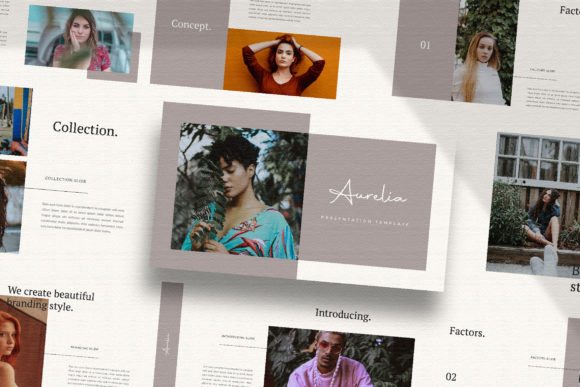
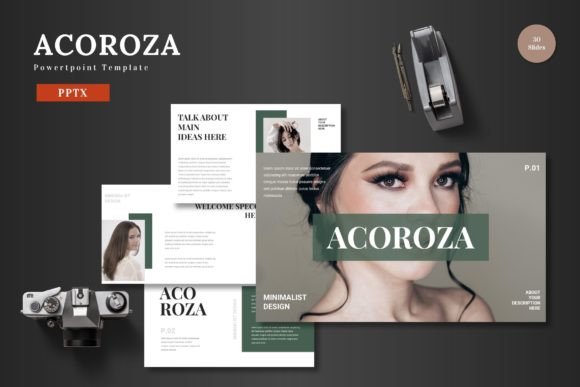
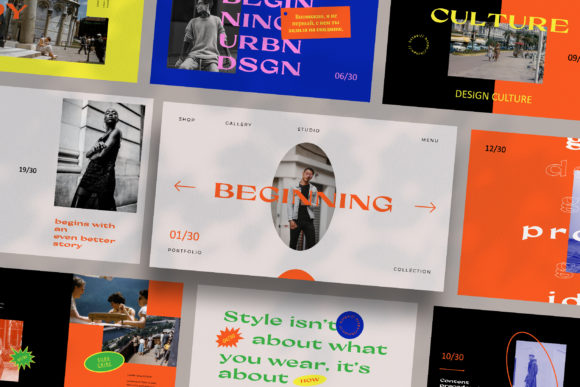
The core of a successful presentation lies in its visual language. A minimal, professional template isn't about being plain; it’s about creating a sophisticated stage that lets your content take the spotlight. Imagine a layout where whitespace is used intentionally, guiding the viewer's eye. Clean lines and contemporary typography provide a sense of order and modernity. Each slide in this kind of template is a deliberate composition, designed to frame your lookbook images, product shots, or brand story without competing with them. It’s the difference between a cluttered bulletin board and a curated gallery wall.
For a fashion entrepreneur or a ladypreneur building a brand, this aesthetic alignment is crucial. The template itself becomes an extension of your brand identity. A consistent, ultra-modern theme across all your slides reinforces a message of attention to detail and quality—exactly the message you want to send to potential buyers, investors, or collaborators. It’s a silent ambassador for your taste level.
From Lookbook to Marketing Plan: Practical Applications
The true power of a versatile design asset is its range. A well-structured template with multiple layout variations isn't just for one type of meeting. Consider how it can serve you across different facets of your business:
- Brand & Collection Presentations: Showcase a new line to wholesale buyers with magazine-style spreads that highlight silhouettes, fabrics, and color stories. The lookbook layout is perfect for this.
- Marketing & Strategy Decks: Pitch a seasonal campaign to your team or an agency. Use the clean text layouts to outline goals, target audiences, and social media graphics plans with clarity.
- Catalogue & Lookbook Creation: Directly repurpose the slides into a digital catalogue or lookbook PDF. The 1920x1080 resolution ensures your images look sharp on any screen.
- Client Onboarding & Pitches: For designers or consultants, use it to present mood boards, packaging design concepts, or web design mockups to clients in a format that feels professional and cohesive.
- Internal Training & Culture: Even internal documents, like training guides for new staff on brand values or product knowledge, benefit from a consistent, branded template.
This flexibility means you’re not just buying a single-use file; you’re investing in a system for visual communication that grows with your business.
Design Details That Save You Time and Stress
Functionality is as important as form. A template built with the Slide Master feature is a game-changer for efficiency. This means the foundational design—color schemes, font styles, master layouts—is set up once. When you drag and drop your own images or edit text, the integrity of the design is maintained automatically. You’re not fighting with alignment or font sizes on every single slide.
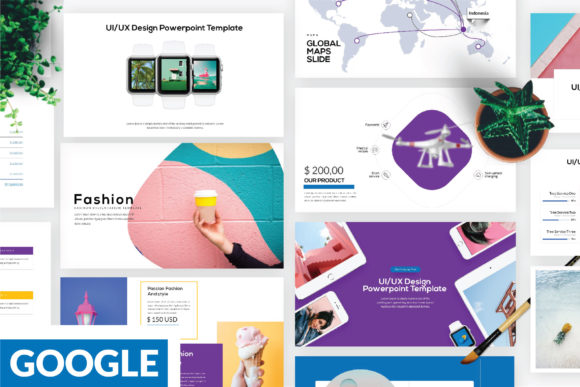
The inclusion of a unique theme color with automatic change functionality is another subtle but powerful feature. With a few clicks, you can adapt the entire deck’s color palette to match your specific brand colors, ensuring perfect brand recognition without manually recoloring each element. Pair this with free, accessible fonts (whose links are provided), and the barrier to creating something beautiful is lowered significantly. The device mockups and icon sets are the cherries on top, allowing you to present social media campaigns or app interfaces in a realistic, engaging context.
Making It Your Own: A Guide to Customization
Receiving a new design asset can feel intimidating. Here’s how to approach it practically to make it truly yours:
- Start with Your Brand Assets: Before you even open the file, have your logo, brand color hex codes, and key brand fonts (if you’re using your own) ready. This sets your direction.
- Plan Your Content Flow: Sketch out your story on paper first. What’s the one key message? Use the template’s layout variations to support this narrative arc—maybe a bold title slide, followed by problem/solution slides, then detailed product slides, and ending with a call to action.
- Use the Slide Master: Take ten minutes to explore the Slide Master view. Changing the colors and fonts here once will update your entire presentation, saving you hours of tedious work.
- Test Image Choices: The template’s minimalist style works best with high-quality, well-lit photography. A blurry or cluttered image will undermine the sleek design. Use the drag-and-drop placeholders to easily swap in your best shots.
- Maintain Visual Consistency: Stick to the layout variations provided. Resist the urge to create a completely new slide from scratch. This discipline is what creates that polished, professional feel you admired in the first place.
Think of the template not as a restriction, but as a set of guardrails that keep your presentation looking sharp and on-brand. It handles the heavy lifting of design structure, freeing you up to focus on what you do best: telling your brand’s story. In a world where first impressions are often digital, having a tool that ensures your ideas are communicated with the same sophistication and care with which they were created is not just a convenience—it’s a strategic advantage.