Beginning - Keynote Template: Designing Your Visual Narrative
There is a specific kind of frustration that comes from sitting in front of a blank presentation slide. You have the data, you have the strategy, and you have the vision, but translating that into a visual format that actually holds an audience's attention is often the hardest part of the process. For many entrepreneurs, marketers, and creatives, the issue isn't a lack of ideas; it's the bottleneck of execution. We often spend hours tweaking margins and aligning text boxes instead of focusing on the actual message. This is where the structure of a well-crafted design asset becomes invaluable, not just as a shortcut, but as a foundation for professional storytelling.
Beyond the Boring Corporate Deck
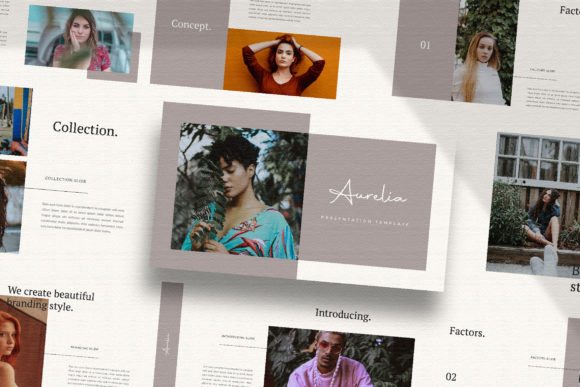
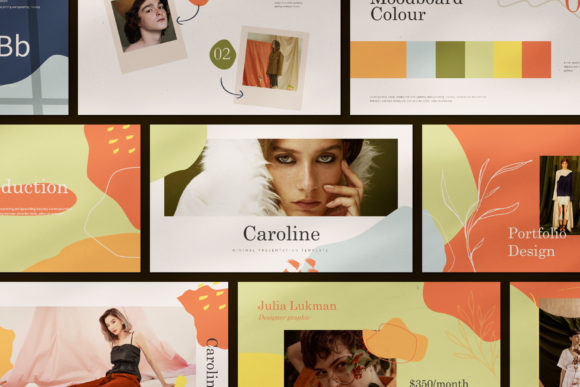
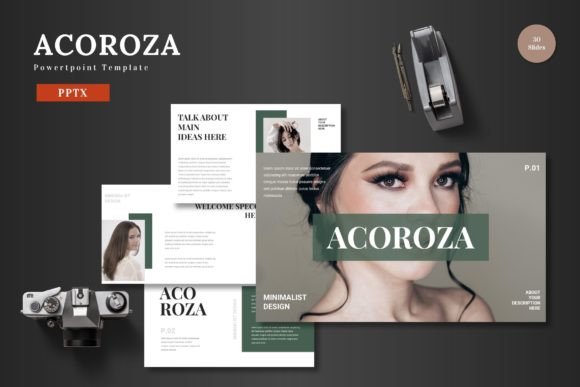
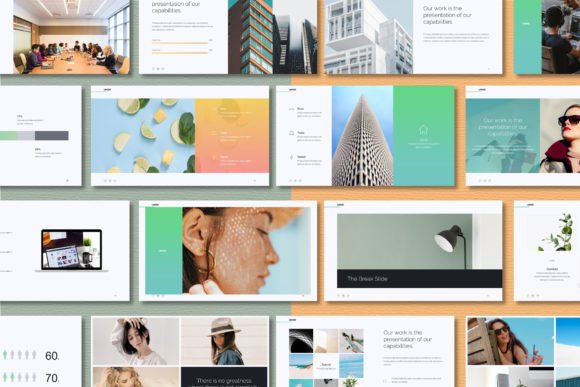
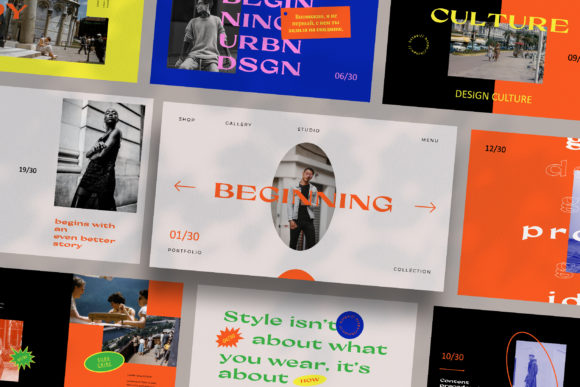
The Beginning - Keynote Template was built with the understanding that modern visual communication needs to feel more like an editorial magazine spread than a standard corporate report. If you look at the current trends in digital media and marketing, the bar for visual quality has been raised significantly. Your audience—whether they are potential clients, investors, or social media followers—is used to high-resolution imagery and clean, intentional layouts. A generic slide with a white background and bullet points no longer cuts it.
What makes this template stand out is the "Lookbook and Magazine Style Layout" approach. This is a game-changer for industries where aesthetics drive sales. Think about a fashion brand presenting their new collection, a real estate agency showcasing luxury properties, or a photographer displaying their portfolio. The Beginning - Keynote Template treats every slide not as a container for text, but as a canvas for visual impact. It acknowledges that for many modern businesses, the presentation is the product.
Engineering Visual Consistency for Your Brand
One of the biggest challenges in brand identity is maintaining consistency across different mediums. A brand might look great on Instagram but fall apart in a pitch deck because the typography and color palettes don't match. This template solves that issue through its Unique Theme Colour feature, which allows for automatic color changes. This means you can take the pre-designed aesthetic and instantly adapt it to your specific brand hex codes. Whether your brand identity is built on muted earth tones or vibrant neons, the template adapts without breaking the integrity of the layout.
Furthermore, the use of Slidemaster technology is a critical feature for anyone managing a brand. It ensures that if you need to change a font or adjust a layout style, you can do it once and have it apply to the entire deck. This is essential for visual consistency. When you are pitching to a business partner or presenting a marketing strategy, you want every single page to feel cohesive. The template includes 30 unique slides, which is usually the sweet spot for a comprehensive pitch or a detailed project proposal, ensuring you have enough variation to keep the audience engaged without overwhelming them.
Practical Application: From Pitch Decks to Social Media
While this asset is labeled a Keynote Template, its utility extends far beyond a conference room. Because the resolution is set to High-res 1920x1080 Pixel (Full HD), the slides are perfect for a variety of digital outputs. For the content creator or social media manager, these slides can be exported as static images to create high-quality carousels for LinkedIn or Instagram. The "Magazine Style" layout is particularly effective here, as it mimics the aesthetic of high-end editorial design that performs well on social feeds.
For the small business owner, the applications are incredibly practical:
- Product Launches: Use the image placeholders to create a visual deck for your new product, which can double as a lookbook for wholesale buyers.
- Client Pitches: The "Drag & Drop" image functionality allows you to quickly customize the deck for specific clients. You can mock up packaging design concepts or web design proposals directly within the slides.
- Internal Training: The clean layout is perfect for educational materials where readability and flow are paramount.
- Media Kits: Bloggers and influencers can use the layout to present their statistics and past work to potential sponsors in a format that feels professional and high-value.
The Importance of Ease and Customization
Time is a non-renewable resource for any entrepreneur. The fact that this template utilizes Picture Placeholder functionality cannot be overstated. It removes the technical barrier of entry. You do not need to be a Keynote wizard to make this look good. You simply drag your high-quality photography into the designated area, and the software handles the cropping and scaling.
Additionally, the decision to use Free Fonts is a thoughtful touch for the end-user. Often, premium templates require the purchase of expensive typeface licenses to look exactly like the preview. By linking to free fonts in the Help & Instruction PDF, the creators ensure that your final output matches the preview quality without hidden costs. This allows you to allocate your budget toward other design assets or marketing efforts.
Designing with Intent: Tips for Using the Template
To get the most out of the Beginning - Keynote Template, you need to approach it with a strategic mindset. It is a tool for visual communication, not just decoration.
1. Photography is Everything: Because the layout relies heavily on large imagery (Magazine/Lookbook style), your photography needs to be high-quality. Blurry or poorly lit photos will ruin the sophisticated aesthetic of the template. If you are sourcing images, sites like Unsplash or Pexels offer high-res options, but ensure they match your brand's lighting style.
2. Typography Hierarchy: The template provides variations in layout and text. Use this to your advantage to create a clear hierarchy. Use the bold, large text headers for your main value proposition, and use the smaller body text for the details. Don't try to cram too much text onto a slide designed for visual impact. If a slide looks crowded, you are likely giving too much information away verbally rather than visually.
3. Color Psychology: When utilizing the automatic color change feature, think about the psychology of the color you are inputting. If you are pitching a calm, wellness-focused brand, aggressive reds might conflict with the message. The template's "Unique Theme Colour" feature is powerful, but it requires you to have a solid grasp of your own brand palette.
Ultimately, the Beginning - Keynote Template is a robust solution for anyone who needs to present ideas with clarity and style. It bridges the gap between amateur slideshows and professional graphic design, offering a versatile foundation for marketing assets, digital products, and business proposals. By treating your presentation as a designed experience rather than a document, you signal to your audience that you value quality, attention to detail, and professionalism.